 Ayati
AyatiOrganize your Quran revision. Listen to your recitation.
Ayati helps you organize memorized portions, record and replay your recitation, log mistakes, and schedule your next review.
Free to use · Arabic and English · One account across devices
Start with one rubuu.
A rubuu is a quarter of a hizb. Choose one portion you have already memorized and try a complete review before adding the rest.
1. Give each portion a place.
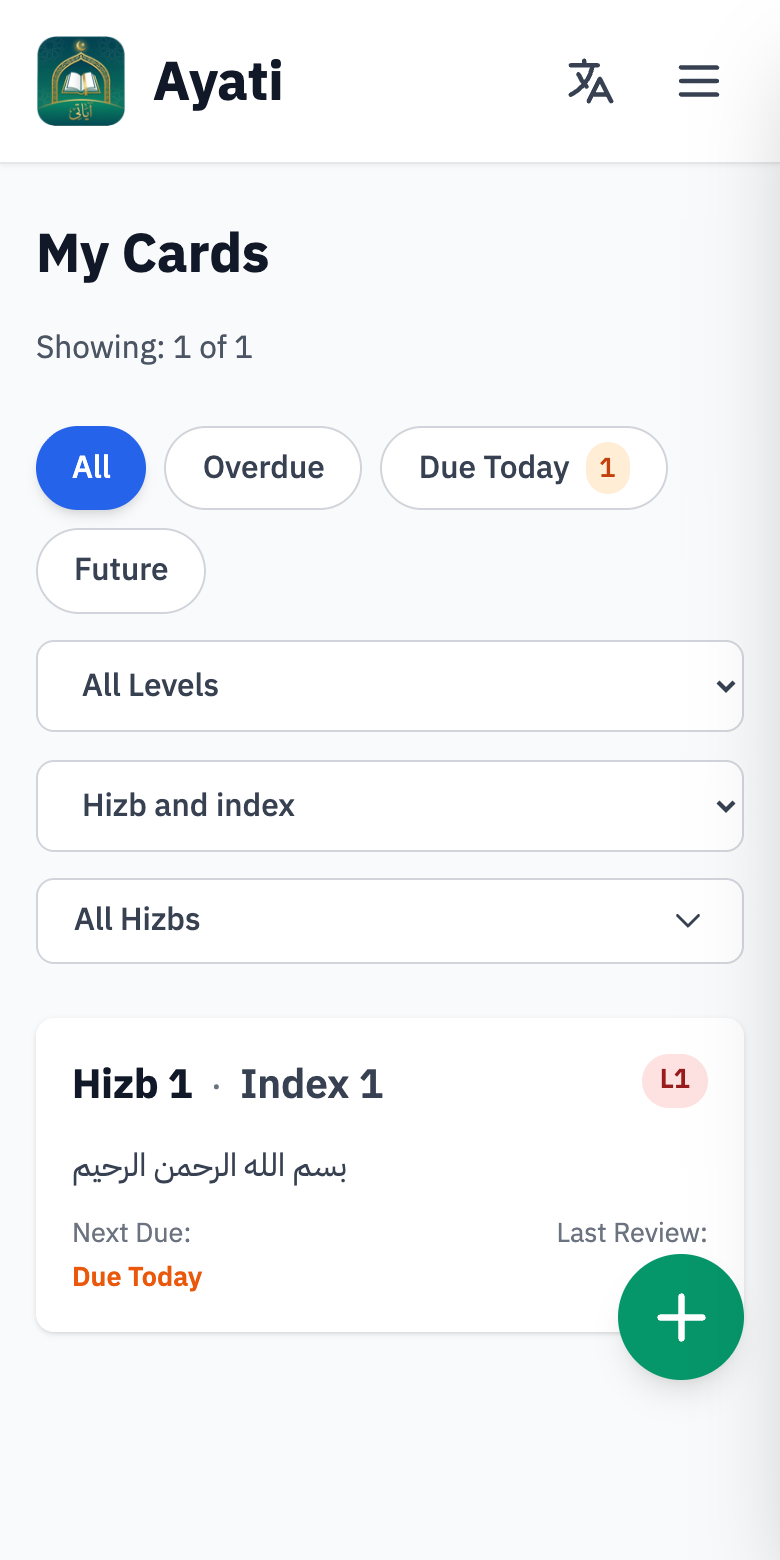
Create an account, then use Add Rubuu to choose a hizb and its quarter. Each portion becomes a card with its own level and next review date.
The Cards page brings your portions together. Filter by level or due date to find what you want to work on; open a card to start reviewing.
You do not need to enter your entire memorization history to begin.
2. Recite, then listen back.
Tap Start review and allow microphone access. Ayati starts the timer and records your recitation. When you finish, tap Stop to listen back.
Replay a passage, move through the recording, or adjust playback speed. Use Add error to count the mistakes you notice.
You identify the mistakes yourself. Ayati does not automatically detect pronunciation errors or correct tajweed.
3. Save the result and the next date.
After listening and checking your error count, tap Save review. Ayati uses your time, errors and review settings to update the card’s level and calculate its next review date.
Listen before saving: audio belongs to the current attempt and is cleared when you save, reset, cancel or leave the review.
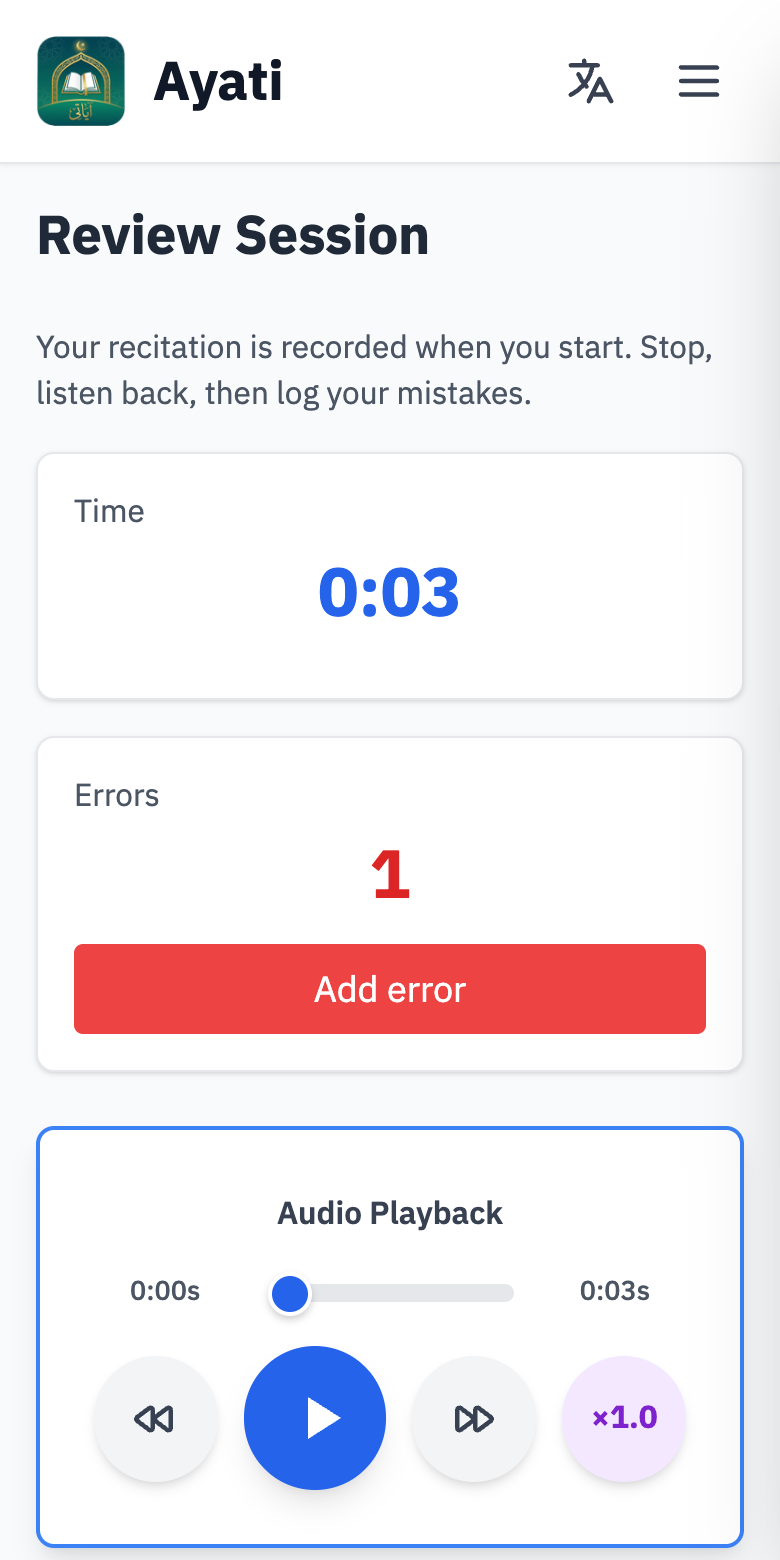
Screenshots show the current web interface with example data. The Android interface can vary with the installed version.
A review date you can understand.
Each card belongs to one of six levels. Each level has a review interval, with time and error limits that help determine whether a card moves up, stays or moves down.
How the next date is calculated
When you save a review, Ayati adds the resulting level’s cycle days to the day you reviewed. If that date is not one of your working days, it moves to the next working day.
In Settings → Review rules, you can adjust each level’s interval and limits. Choose your working days under Daily routine.
An example
- You review on
- Monday
- Resulting level’s interval
- 4 days
- Next review
- Friday
If Friday is not a working day and Saturday is, the card is due Saturday instead.
Choose how many successes come before promotion.
The default is 1 successful review. Set it to 3, for example, to require three consecutive qualifying reviews at the current level before moving up. Both time and error limits must be met, and the reviews must be on or after the due date. A non-qualifying review resets the count.
Promotion also needs space in the next level; level 6 has no capacity limit. If your result falls outside the current level’s limits, the card moves down one level so it can be reviewed using that level’s interval.
You can set the final level’s interval to 15 or 30 days to suit your routine. This is an interval for each card, not a promise of equal daily workloads or a guarantee of retention.
Before you begin.
Is Ayati free?
Yes. Ayati is free to use. Optional contributions through Support Ayati help fund the project’s development. You do not need to donate to review your cards.
What do the six levels mean?
The labels are L1 New Cards, L2 Learning, L3 Familiar, L4 Known, L5 Mastered and L6 Archived. They describe a card’s place in your review routine. Even an Archived card continues to receive review dates using level 6’s interval; it is not removed from your practice.
Are my recitation recordings stored or uploaded?
The recording stays on your device for the current review attempt. It is not uploaded to Ayati’s server or saved in your review history. It is cleared when you save, reset, cancel or leave the review. Your saved review result includes information such as time and error count, not the audio.
Can I use the same account on Android and the web?
Yes. Sign in with the same account to access your cards and saved review results across devices. Recordings from a current attempt do not sync. Use the web app on a phone or computer, or install Ayati from Google Play.
Does Ayati listen and correct my recitation automatically?
No. Recording and playback help you listen carefully and count your own mistakes. Ayati does not provide automatic speech assessment or tajweed correction. You can use it alongside guidance from your Quran teacher.
Which Quran text and languages are available?
Ayati includes Quran text in the Warsh tradition. The application interface is available in Arabic and English. You can change the interface language within the app.
Will my review workload be the same every day?
Not necessarily. Dates follow each card’s level interval and your working days. Several cards may fall on the same date; Ayati does not delay them simply to make daily totals equal. Add portions gradually and choose intervals that fit your available time.
What if I am not ready for longer intervals?
Increase “Successful reviews before promotion” in Review rules, or shorten a level’s cycle. These settings let you take more time at each stage. A level is a scheduling aid, not proof that you will never forget a passage.
Try one complete review.
Add one rubuu, recite it, listen back and save your result. Start small, then build a routine you can keep.
Build a routine that fits your memorization.
Read practical guides in the Ayati journal, starting with a practical seven-day Quran revision plan.
Ayati is developed by El Amine. Your experience helps shape what we improve next.